NyamTyme FOH

Your front of house.
All in one place.

Manage your waitlist, reservations, floor, tables, guests and service from one connected command center.

NyamTyme helps bring diners through the door. FOH helps your team manage what happens next.

NyamTyme FOH is included with your NyamTyme Restaurant Partnership Account.

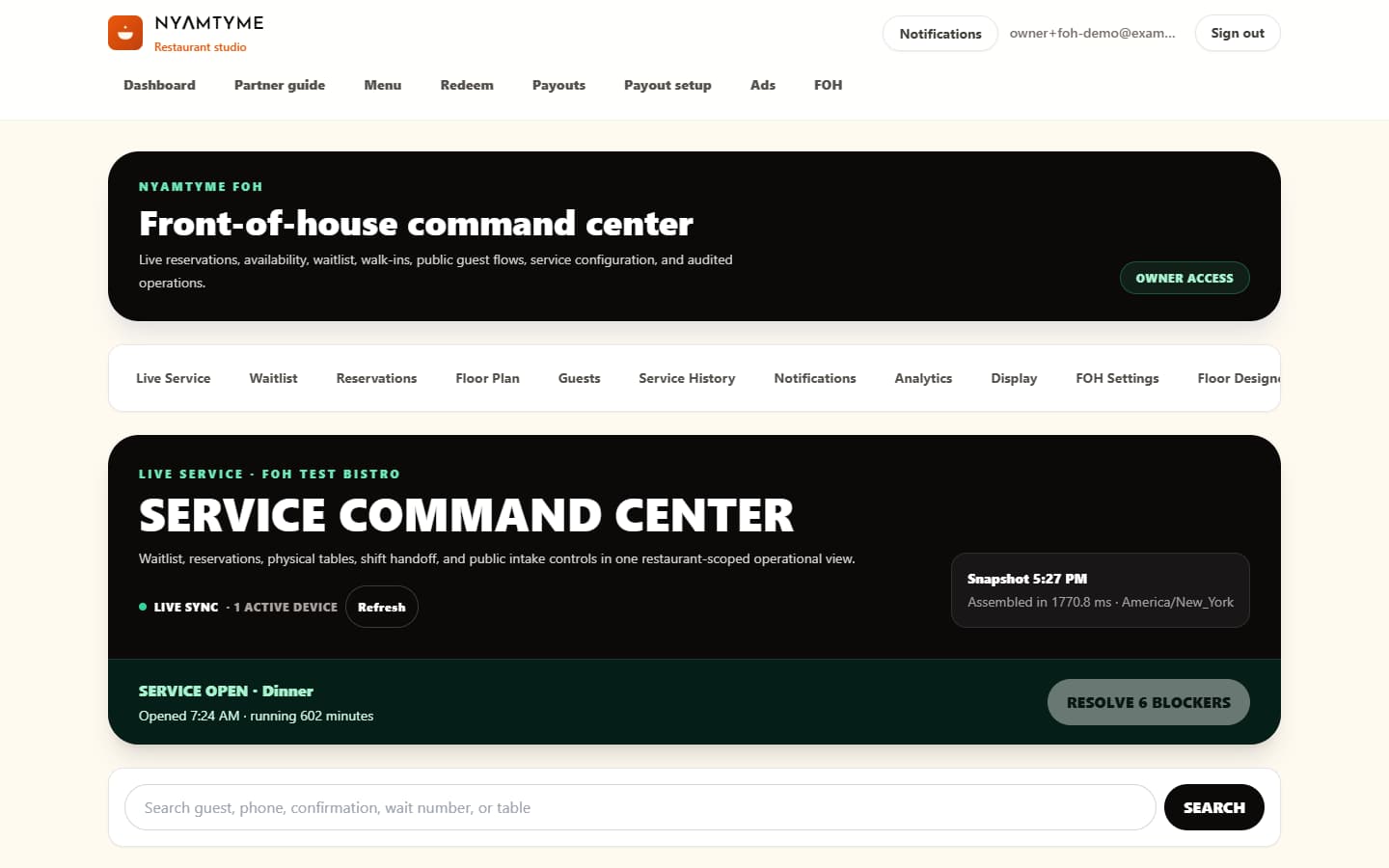
NyamTyme FOH Live Service command center showing an active demo restaurant service
Actual NyamTyme FOH interfaceLive Service · Demo restaurant data

More than a diner platform

What if your partnership did more than send you diners?

Run the door. Run the floor. Know your guests. FOH gives restaurant partners practical front-of-house tools from the same NyamTyme restaurant account.

Manage the front door

Keep walk-ins, remote joins and arrivals in one operational view.

Organize the waitlist

Give every party a clear place in the queue and move them through service.

Take reservations

Manage bookings, capacity rules, arrival, check-in and outcomes.

See the live floor

Know which tables are available, occupied, clearing, blocked or out of service.

Remember returning guests

Keep restaurant-owned visit history, notes and preferences together.

Review the service

Look back at recorded waits, covers, reservations, tables and guest visits.

Run the door

One queue your whole host team can follow

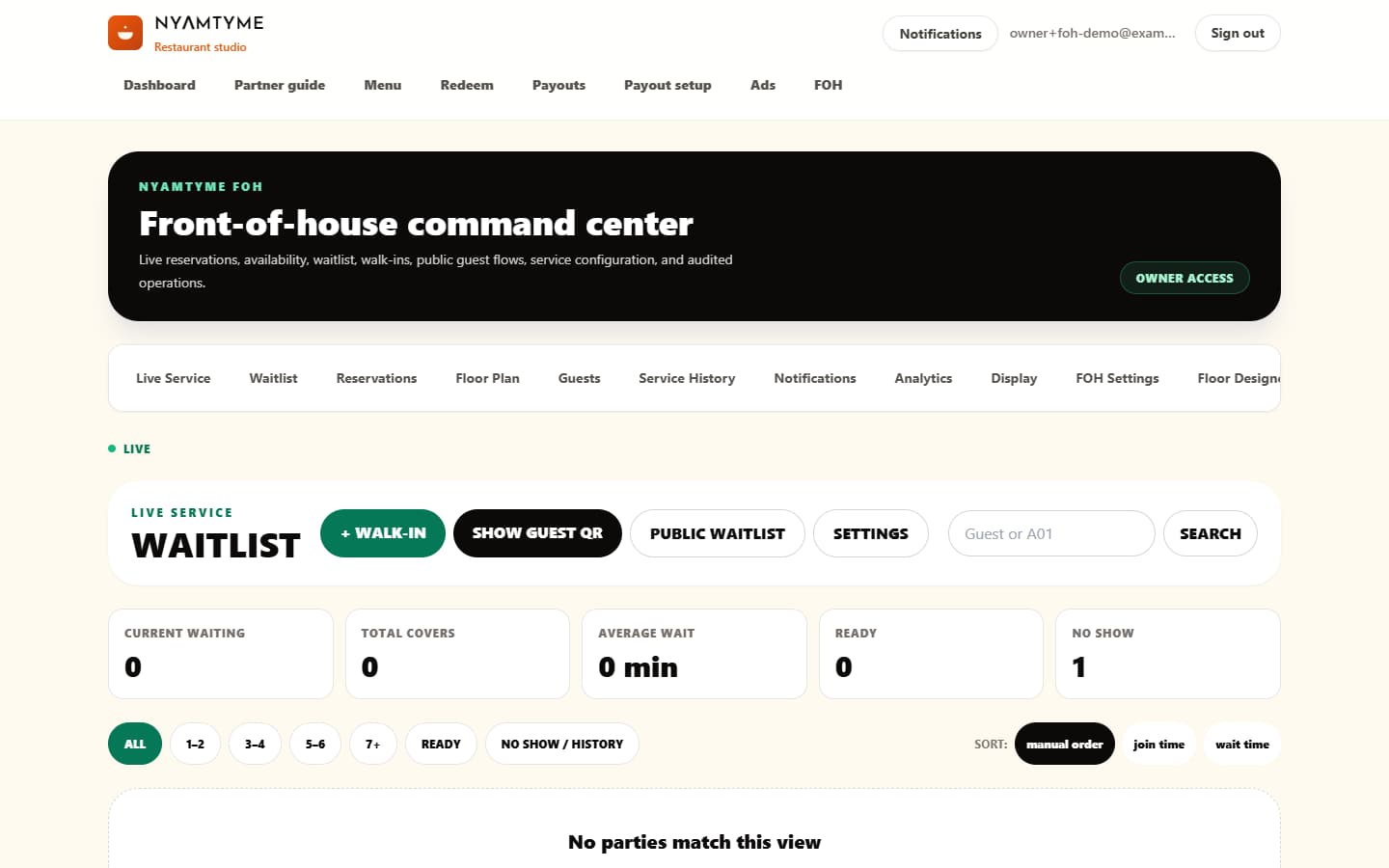
Walk-ins and remote joins share the active service queue, with party size, wait context and the next operational state visible to staff.

NyamTyme FOH waitlist with synthetic parties, queue labels and wait estimates
Actual NyamTyme FOH interfaceWaitlist · Demo restaurant data
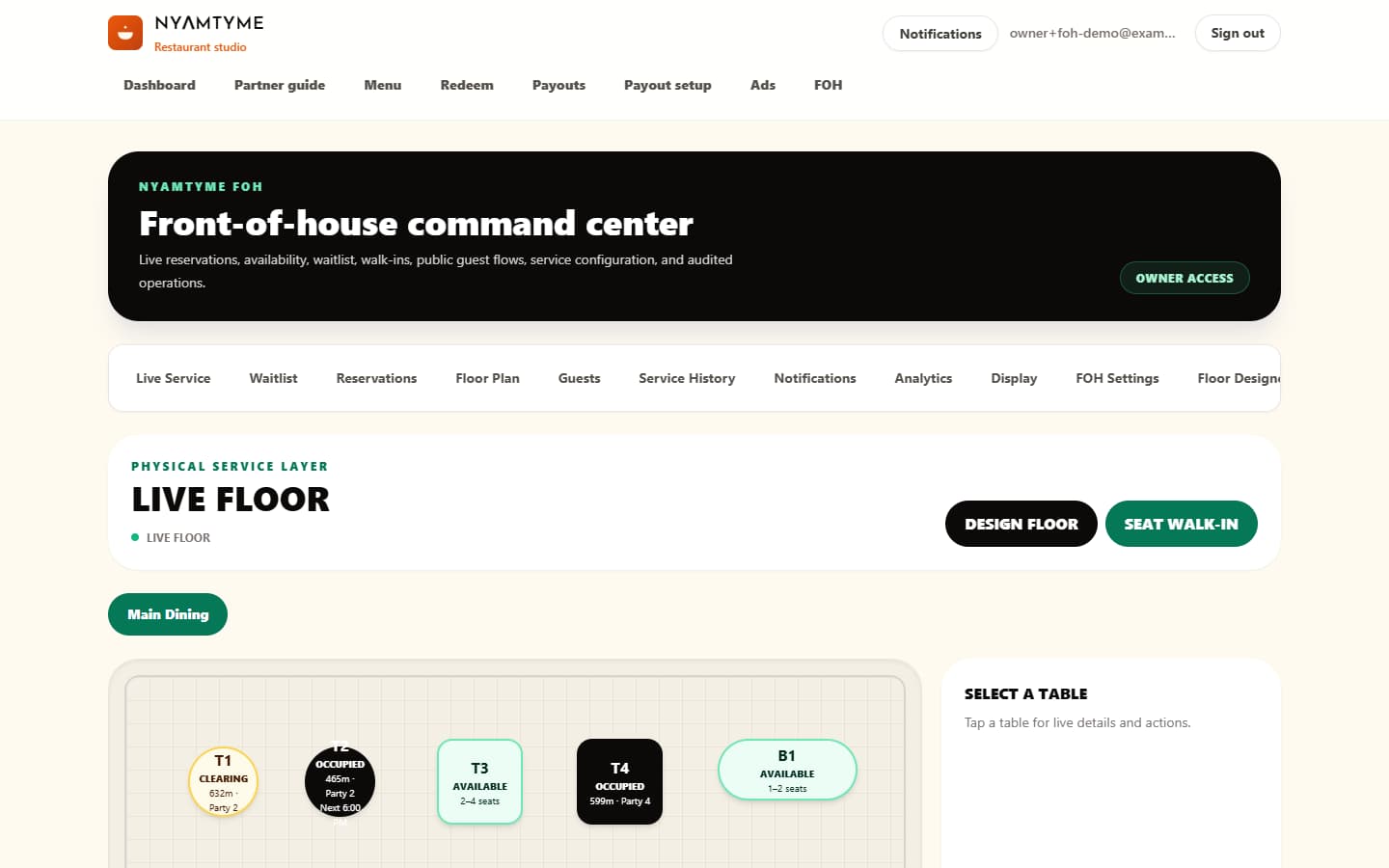
NyamTyme FOH live floor showing available, occupied, clearing and out-of-service demo tables
Actual NyamTyme FOH interfaceLive Floor · Demo restaurant data

Run the floor

Your front door should not run on guesswork

See the current table state, seating capacity and elapsed service context before the team seats or moves a party.

Know the service

Review recorded operations after the rush

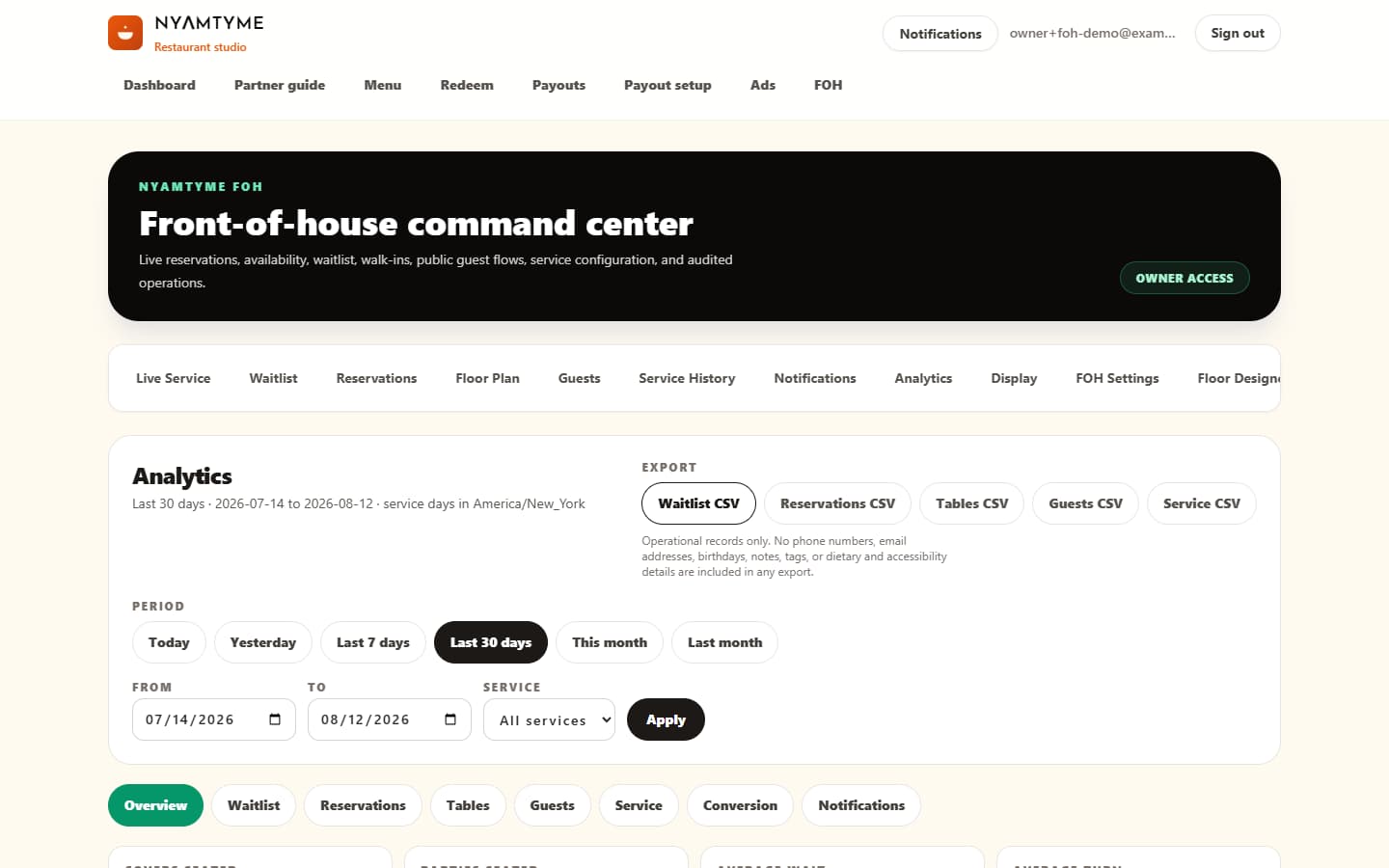
Explore restaurant-scoped waitlist, reservation, table, guest and service reporting across useful date ranges, then export operational CSV reports.

NyamTyme FOH analytics interface with date ranges, report tabs and CSV exports
Actual NyamTyme FOH interfaceAnalytics · Demo restaurant data

One restaurant partnership. A complete front-of-house toolkit.

Everything included with your partnership account

NyamTyme FOH is included with your NyamTyme Restaurant Partnership Account. The implemented tools below are part of the same restaurant experience.

  • Live Service Command Center
  • Digital Waitlist
  • QR Waitlist
  • Remote Guest Status
  • Reservations
  • Reservation Check-In
  • Table Management
  • Table Combinations
  • Live Floor Status
  • Floor Plans
  • Floor Designer
  • Guest CRM
  • Guest Visit History
  • Guest Notes & Preferences
  • Guest Notifications
  • Lobby Kiosk
  • Public Waitlist Display
  • Service History
  • Restaurant Analytics
  • Wait-Time Analytics
  • Reservation Analytics
  • Table Utilization
  • Turn-Time Reporting
  • New vs Returning Guests
  • Conversion Reporting
  • CSV Exports
  • Staff Roles & Permissions
  • Activity Log

FOH, section by section

What every tool does — and why it matters

From the moment a guest joins the waitlist to the moment the table is cleared, FOH keeps the restaurant’s recorded front-of-house workflow connected.

Live Service

See what is happening across the shift right now

What it does

Brings the active waitlist, reservations, physical tables, service alerts, handoff notes and public-intake controls into one restaurant-scoped command center.

Why the owner cares

Your team can make the next front-of-house decision from one current service view instead of reconstructing the room from separate screens.

  • Live service snapshot
  • Quick operational actions
  • Shift notes and handoff
  • Pause or resume public intake

Waitlist

Run one organized queue at the door

What it does

Lets staff add walk-ins, assign queue numbers, record quoted waits and move parties through waiting, ready, seating, seated, left and no-show outcomes.

Why the owner cares

The host team sees the same queue instead of relying on paper, memory or disconnected notes.

  • Party size and queue number
  • Quoted and measured waits
  • Ready and seating workflow
  • Private guest status link

QR Waitlist

Let guests join from their own phone

What it does

Creates a restaurant-specific public join flow that feeds remote parties into the same active-service queue as walk-ins.

Why the owner cares

Guests can enter their own details and follow their status while your team keeps control of the shared queue.

  • Restaurant QR flow
  • Same service-day counter
  • Remote guest status
  • Public intake controls

Reservations

Manage the book with restaurant-defined rules

What it does

Supports booking availability, service periods, capacity protection, arrival, check-in, move, reschedule, cancellation, late, no-show and completion states.

Why the owner cares

The book stays connected to the restaurant service your team is actually running.

  • Configured availability
  • Per-period capacity
  • Arrival and check-in
  • Operational reservation outcomes

Table Management

Make table state explicit

What it does

Tracks available, reserved-soon, occupied, clearing, blocked and out-of-service tables, with seating and party-move operations.

Why the owner cares

The person at the door can see whether a table is genuinely usable before promising it to a guest.

  • Seat waitlist or reservation parties
  • Move a seated party
  • Clear and release tables
  • Combine tables for larger parties

Floor Plans

See the physical room as a live service layer

What it does

Shows dining areas, table capacities and current table state on a visual restaurant floor.

Why the owner cares

Managers and hosts can read the room from the same layout instead of tracking status by memory.

  • Dining-area views
  • Live status and elapsed time
  • Capacity context
  • Direct seating actions

Floor Designer

Maintain the room inside FOH

What it does

Lets authorized staff create areas and tables, set minimum and maximum capacities, arrange a draft and publish the layout.

Why the owner cares

The operating floor can reflect the restaurant’s actual rooms and seating plan without a developer update.

  • Areas and tables
  • Capacity rules
  • Draft layout
  • Controlled publish

Guest CRM

Give the restaurant a durable guest memory

What it does

Builds restaurant-scoped guest profiles from identified visits, reservations and waitlist activity, with notes, tags and preferences.

Why the owner cares

Useful service context stays with the restaurant and can be available on the next visit.

  • Visit history
  • Waitlist and reservation history
  • Notes and tags
  • New and returning context

Guest Notifications

Keep the guest informed during the visit

What it does

Provides a live status page plus transactional email and web push on supported devices for configured FOH events.

Why the owner cares

Guests can follow progress without repeatedly checking at the host stand.

  • Joined and almost-ready events
  • Table-ready events
  • Reservation updates
  • Delivery history and retry state

Kiosk

Give the lobby a self-service arrival point

What it does

A restaurant-provisioned tablet can join a waitlist party, find and check in a reservation, or retrieve that guest’s wait status.

Why the owner cares

Arriving guests can complete routine steps while the host team stays focused on the room.

  • Device-specific access
  • Automatic guest-data reset
  • Idle reset and exit PIN
  • Owner or manager revocation

Public Waitlist Display

Show queue progress without showing a guest directory

What it does

Projects public-safe waiting and ready entries on a restaurant-provisioned lobby screen.

Why the owner cares

The room can see queue progress while contact details and private guest records remain off the display.

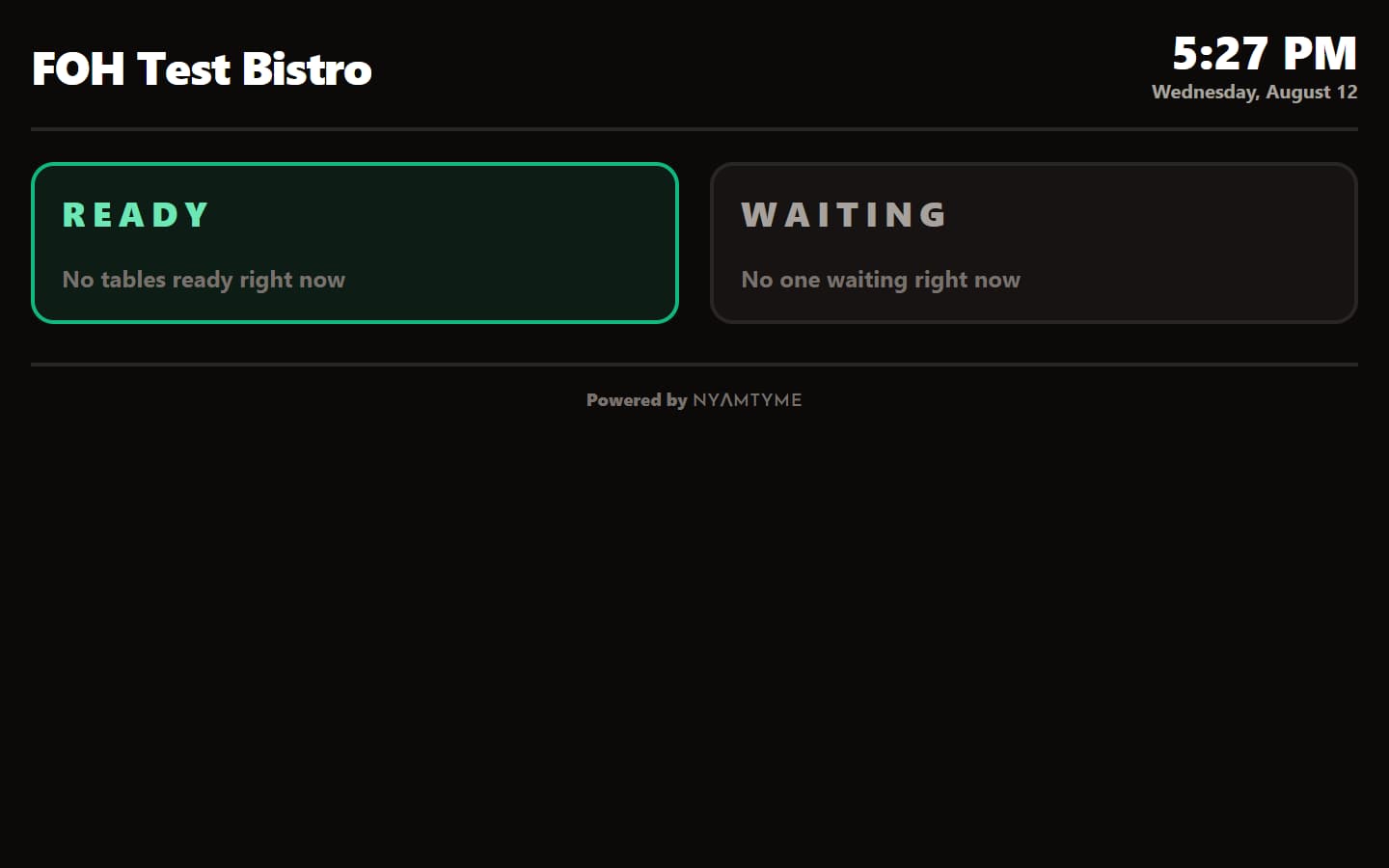
  • Waiting and ready columns
  • Configurable public name format
  • Seated and closed parties disappear
  • Revocable display device

Service History

Review a completed shift after it closes

What it does

Keeps completed service sessions and their recorded operational history available to authorized restaurant staff.

Why the owner cares

A manager can review what happened without rebuilding the night from memory.

  • Completed sessions
  • Restaurant-local service dates
  • Operational outcomes
  • Historical service context

Analytics

Measure the service your team recorded

What it does

Reports covers, parties, waits, reservation outcomes, table utilization and turns, guest visits, service performance and recorded NyamTyme conversion.

Why the owner cares

Owners can review consistent operating measures from their own restaurant history.

  • 7-day, 30-day and custom ranges
  • Waitlist and reservation reports
  • Table and guest reports
  • Metric definitions in the interface

CSV Reporting

Take operational reporting with you

What it does

Exports waitlist, reservation, table, guest and service reports as bounded, restaurant-scoped CSV files without guest contact details.

Why the owner cares

Owners can work with recorded operational data outside the dashboard when needed.

  • Report-specific exports
  • Selected date range
  • Restaurant scope
  • Contact-safe operational fields

Staff & Permissions

Match access to the job

What it does

Provides Owner, Manager, Host, Server and Viewer roles with server-enforced restaurant permissions.

Why the owner cares

Each employee can use the tools their role needs without receiving unrestricted restaurant control.

  • Owner administration
  • Manager operations
  • Host and server workflows
  • Read-only viewer access

Activity Log

Keep a record of important operational actions

What it does

Records audited FOH actions with restaurant, operation, actor and time context for authorized review.

Why the owner cares

Managers have an accountable trail when they need to understand how an operational state changed.

  • Restaurant-scoped trail
  • Actor and timestamp
  • Operation details
  • Permission-controlled review

Self-service, safely scoped

Guest-facing tools that stay tied to your restaurant

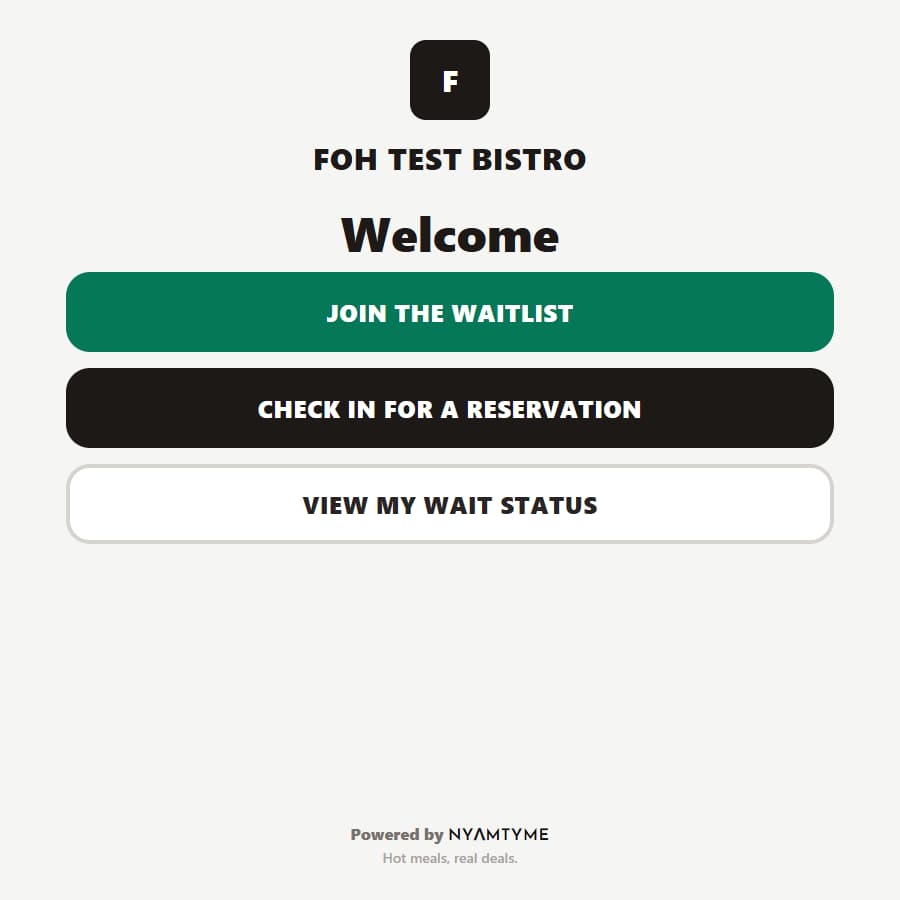
Provision a lobby kiosk and public waitlist display from FOH settings, then revoke either device when needed.

NyamTyme FOH lobby kiosk home screen using synthetic demo restaurant data
Actual NyamTyme FOH interfaceLobby Kiosk · Demo restaurant data
NyamTyme FOH public waitlist display showing public-safe demo queue labels and names
Actual NyamTyme FOH interfacePublic Display · Demo restaurant data

Why owners care

A connected view of the guest experience

FOH can reduce the number of disconnected front-of-house workflows without pretending to replace every restaurant system.

Less front-door chaos

Give the team one operational view of today’s service.

Keep the floor moving

Know what is available, occupied, clearing, reserved, blocked or out of service.

Give guests a better wait

Let guests join remotely, follow their status and see when the table is ready.

Remember the guest

Use visit history and service context so a returning guest does not arrive as a stranger.

Know what really happened

Review waits, covers, turns, no-shows, reservations and recorded service performance.

Bring them in. Then run the experience.

NyamTyme connects restaurants with diners. FOH supports the front-of-house experience after they arrive.

Stop rebuilding the shift from scattered clues.

Instead of a paper waitlist, separate guest notes, disconnected reservation notes, table status held in memory and end-of-night guesswork, FOH connects those workflows inside NyamTyme.

Restaurant owner FAQ

Questions about NyamTyme FOH

What is NyamTyme FOH?

FOH is NyamTyme’s front-of-house management system: waitlist, reservations, tables, floor plans, guest history, lobby kiosk, public display, service history and analytics inside the restaurant account.

Is FOH included with my partnership account?

Yes. NyamTyme FOH is included with your NyamTyme Restaurant Partnership Account. There is no separate FOH product to buy.

Can guests join my waitlist from their phones?

Yes. Guests can scan the restaurant QR code, join remotely and follow their own status. Staff can add walk-ins to the same queue.

Can I take reservations?

Yes. FOH supports restaurant-configured availability, capacity, booking, arrival, check-in, move, reschedule, cancellation, late and no-show workflows.

Can I manage tables and floor plans?

Yes. Build areas and tables in Floor Designer, publish the layout, then seat and move parties while tracking live table state.

Can I see returning guests and visit history?

Yes. Identified guest profiles can show restaurant-scoped visit, reservation and waitlist history along with authorized notes, tags and preferences.

Can employees have different permissions?

Yes. Owner, Manager, Host, Server and Viewer roles give employees different levels of restaurant access.

Does FOH include analytics?

Yes. FOH reports operational measures across waitlists, reservations, tables, guests and service, with CSV exports.

Does FOH replace my POS?

No. NyamTyme FOH is focused on front-of-house guest and service management. It is not being marketed as a POS replacement.

Does FOH send SMS?

No. SMS is not offered as a FOH notification channel. The implemented guest channels are the live status page, transactional email, and web push on supported devices.

NYΛMTYME

Bring in guests.
Run the front of house.
One NyamTyme partnership.

Join NyamTyme and get access to restaurant partnership tools designed to help you attract diners and manage the guest experience from arrival through service.

NyamTyme FOH is included with your NyamTyme Restaurant Partnership Account.